Dupe Embedded Wallets
A guide on Dupe embedded wallets.
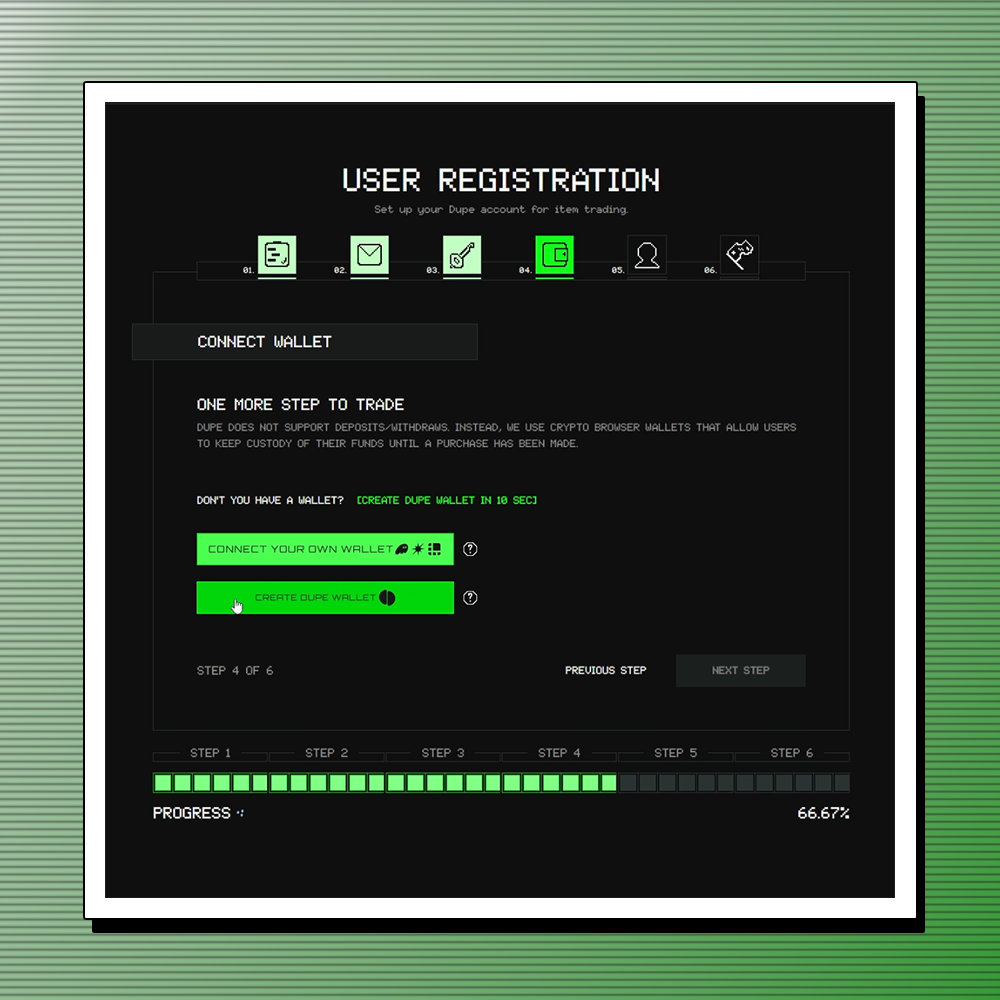
When using Dupe, you can either bring your own Solana browser wallet or quickly generate a Dupe wallet. Dupe wallets are integrated directly into the marketplace and use your email address for authentication.
Creating a Dupe Wallet
To create a Dupe wallet, select the Dupe wallet option when signing up.
If already signed up, switch to a Dupe wallet in Settings under Wallet Type → Dupe Embedded Wallet.
You can open your wallet by clicking your wallet address in the top-right navigation bar.
Wallet Overview
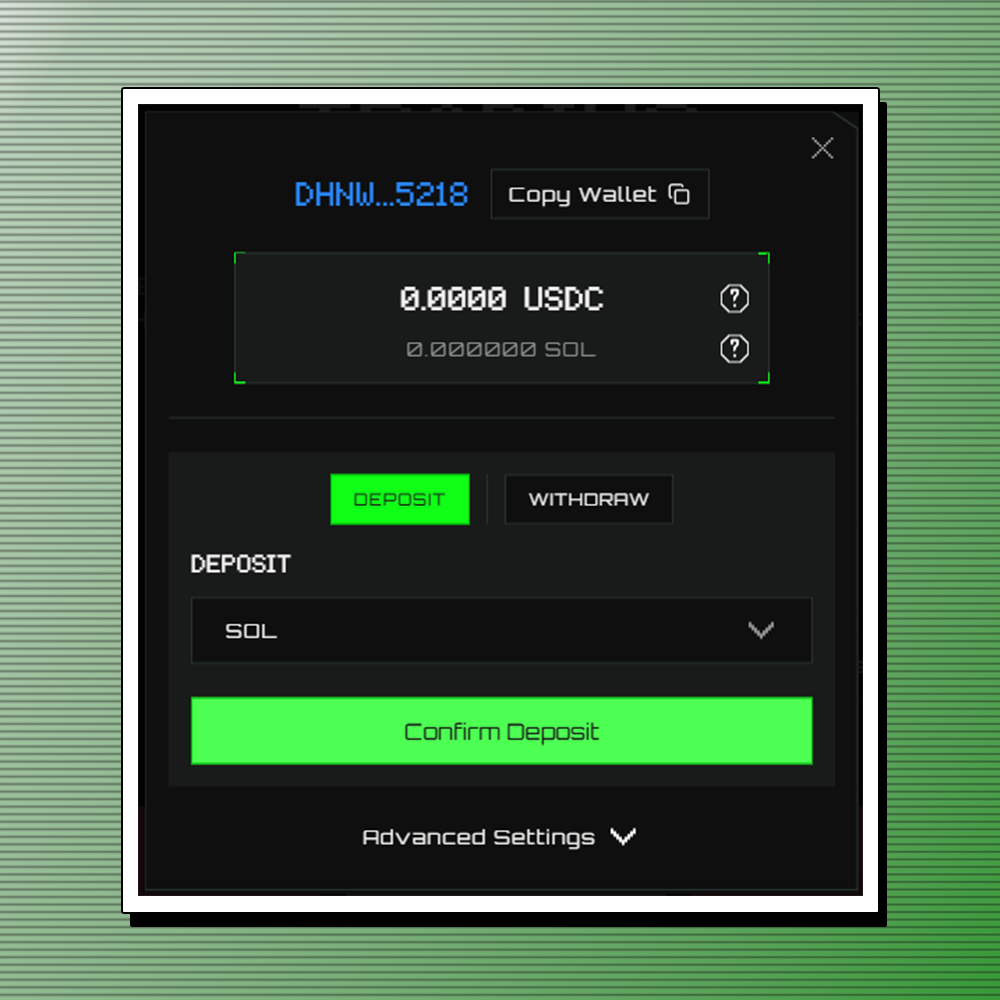
The wallet pop-up displays your USDC balance (for purchases) and Solana balance (for transaction fees).
- To deposit: select a currency, click Confirm Deposit, and follow the on-screen instructions.
- To withdraw: go to the Withdraw tab, select a currency, enter the amount and Solana address.
Blockchain Notice
Dupe supports USDC on Solana. If you choose to purchase USDC from an exchange, please ensure your USDC is on the Solana blockchain before sending it to a Solana wallet address.
If you send USDC on Ethereum to a Solana wallet address, you will lose your funds.
Wallet Ownership and Export
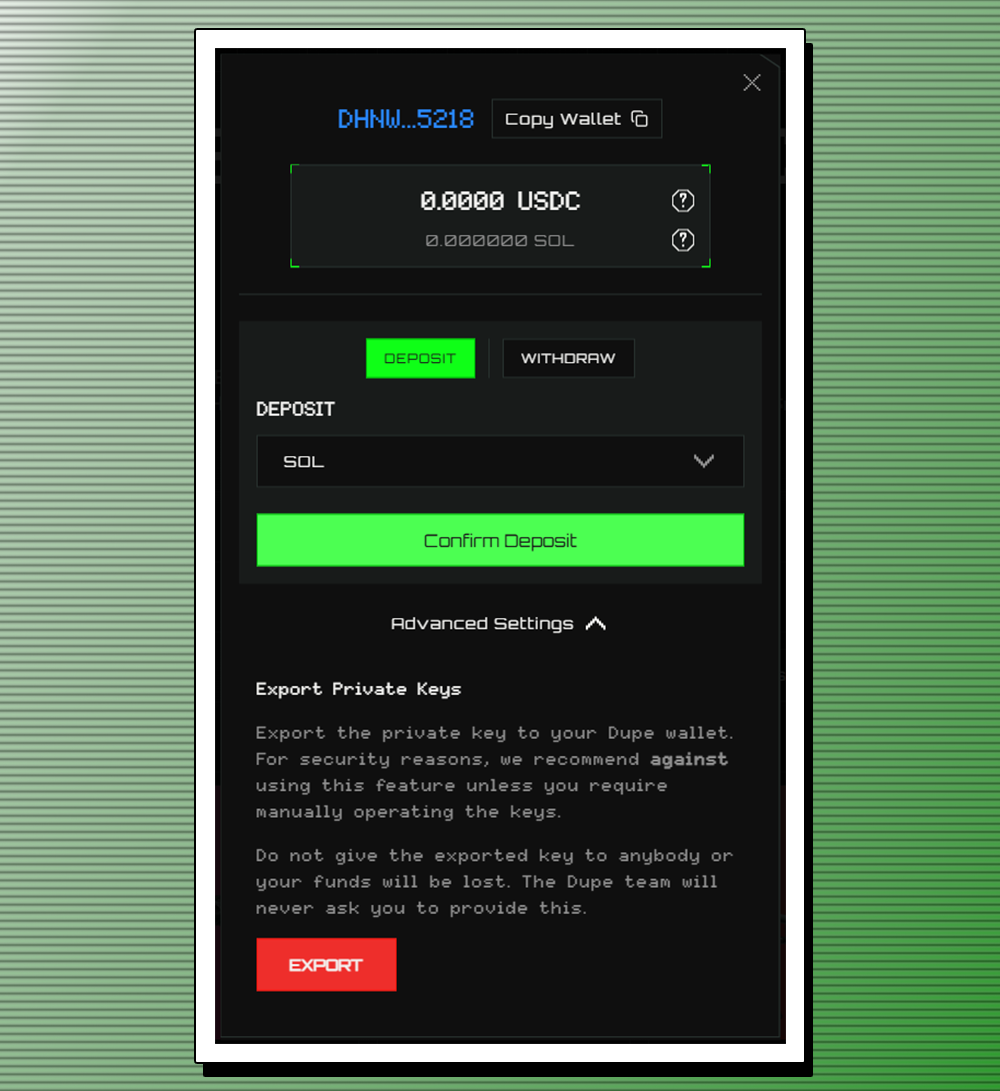
Dupe wallets are fully owned by you and can be exported anytime.
- To export: Go to your wallet and click Advanced Settings → Export, copy your private key, and import it into another wallet such as Phantom.
Security Reminder: Never share your private key. Dupe staff will never ask for it.
Support
- For wallet issues, contact Dupe support via the support page or Discord.
Happy trading!